

In the fast-evolving world of software development, documentation is the silent hero that keeps projects on track, teams aligned, and users informed. Whether you’re developing enterprise software, open-source projects, or internal tools, clear and well-maintained documentation is essential. Thankfully, the tech community has produced a robust ecosystem of Software Documentation Tools Open Source that help teams create, manage, and publish high-quality documentation with minimal cost.
In this comprehensive guide, we’ll explore the Top 10 Best Software Documentation Tools Open Source in 2026, delving into their features, advantages, and ideal use cases. By the end of this article, you’ll have a solid grasp of which open-source tool might best suit your documentation needs this year and beyond.
Table of Contents
Why Choose Open Source Documentation Tools?
Open source documentation tools offer flexibility, community support, and no licensing costs, making them ideal for startups, small teams, and large enterprises alike. They support various content formats like Markdown, AsciiDoc, and HTML, and often integrate with platforms like GitHub, GitLab, or CI/CD pipelines. These tools cater to diverse user intents, including creating user-friendly guides, hosting documentation sites, and enabling collaboration. Below, we dive into the best options based on recent insights from the web.
Top Software Documentation Tools Open Source in 2025
1. Docusaurus
Maintained by Meta (Facebook), Docusaurus has become a beloved choice for generating static documentation websites quickly. Written in React, it’s perfect for creating beautiful, performant docs with versioning support.
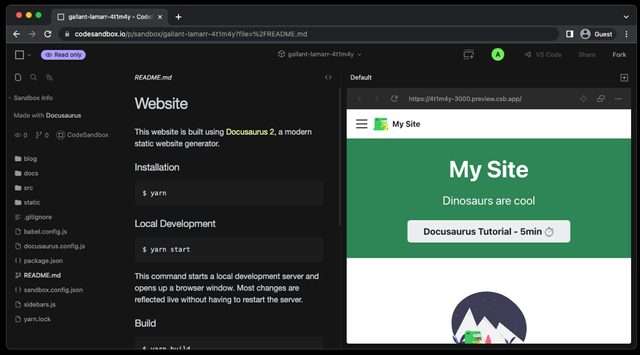
Key Features
- Easy to set up and deploy.
- Supports Markdown and React components.
- Out-of-the-box search powered by Algolia.
- Versioning for maintaining different doc sets.
- Customizable themes and plugins ecosystem.
Best For
- Product documentation.
- Developer portals.
- Technical blogs alongside documentation.
If you want an example of professional usage, check out the official Docusaurus showcase on their website, where companies like Facebook and React Native maintain their documentation.
2. MkDocs
MkDocs is a fast, static site generator specifically designed for creating project documentation. Built in Python, it’s praised for simplicity and beautiful themes like Material for MkDocs.
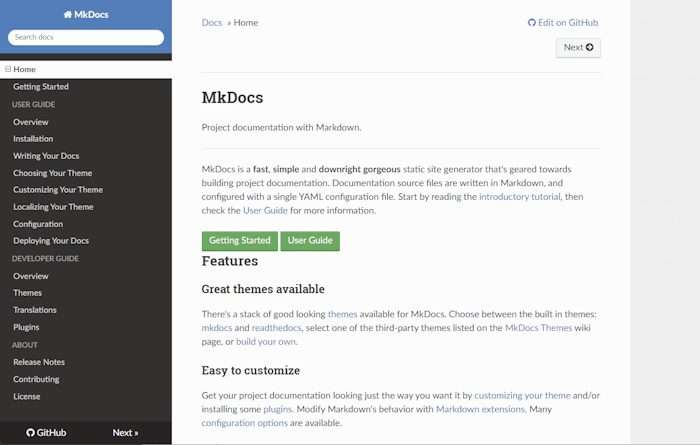
Key Features
- Write documentation in Markdown.
- Live preview server for instant feedback.
- Clean, responsive themes.
- Easy deployment to GitHub Pages.
- Excellent plugin ecosystem for custom workflows.
Best For
- Python projects.
- Software teams that love minimal configuration.
- Rapid deployment of documentation.
If you want a modern-looking documentation site without hassle, MkDocs is a superb choice.
3. Sphinx
Sphinx is a veteran in the documentation space, originally developed for Python but now widely used across languages. It’s incredibly powerful for generating complex documentation with cross-referencing, indexes, and code documentation.
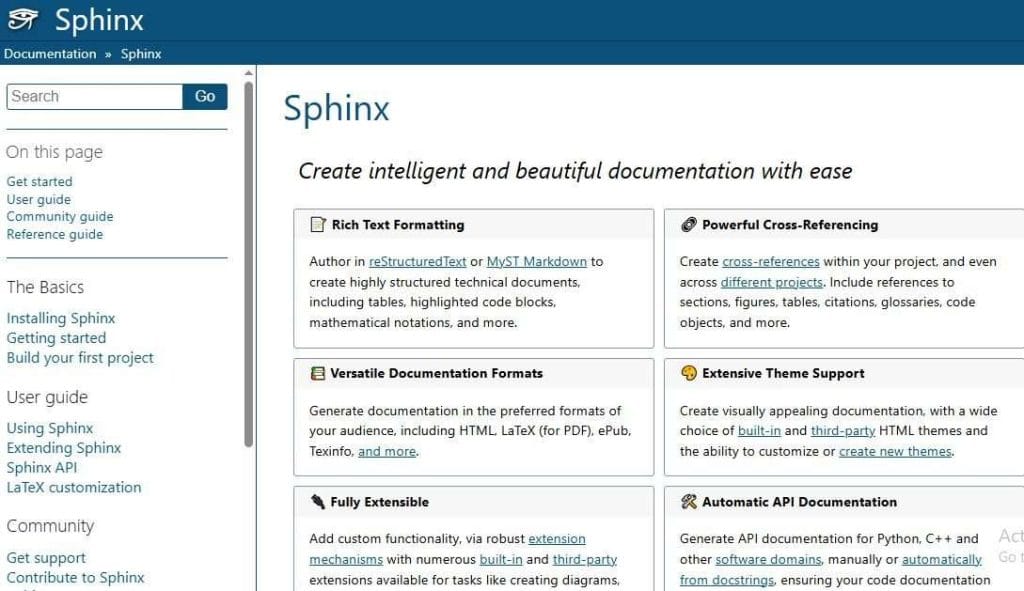
Key Features
- Renders output in HTML, LaTeX, PDF, ePub, and more.
- Rich syntax for creating tables, references, and diagrams.
- Integrates with Read the Docs for easy hosting.
- Supports internationalization.
Best For
- Software with complex APIs.
- Multi-language documentation needs.
- Highly technical documents.
Projects like Python, Django, and SciPy all use Sphinx, underlining its credibility and power.
4. GitBook (Open-Source Version)
Before moving to a SaaS model, GitBook was entirely open-source. Fortunately, the older open-source GitBook is still a powerful tool for generating documentation as books.

Key Features
- Write in Markdown or AsciiDoc.
- Multi-language support.
- Export to PDF, ePub, or HTML.
- Plugin system to extend functionality.
Best For
- Book-style documentation.
- Manuals and guides.
- Documentation where offline export is crucial.
While newer features are in the SaaS version, the open-source variant remains a solid choice for static site documentation.
5. Jekyll
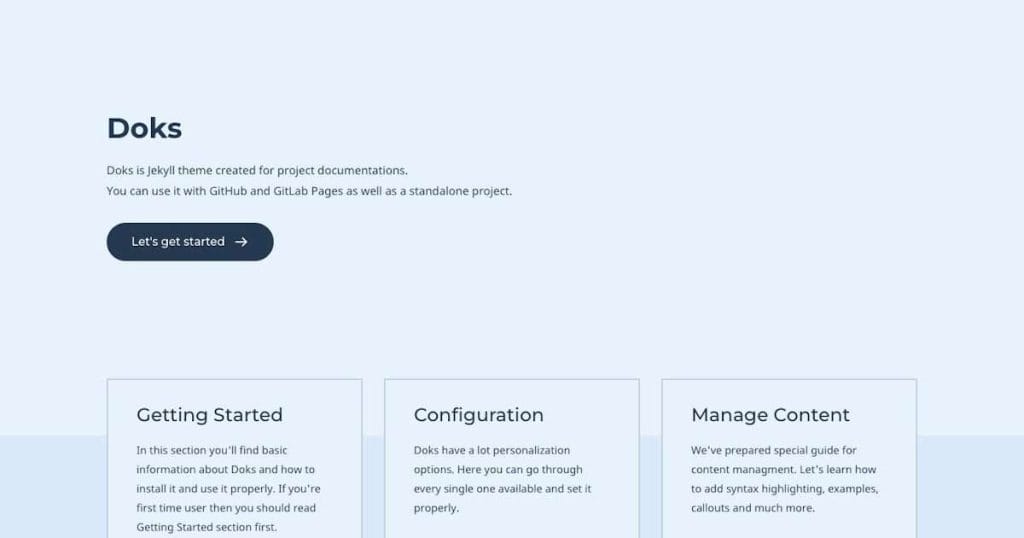
Jekyll is one of the oldest static site generators, widely used for blogs and documentation. It powers GitHub Pages, making it perfect for integrating documentation directly into repositories.
Key Features
- Markdown support.
- Integrated with GitHub Pages for free hosting.
- Extensive plugin ecosystem.
- Flexible layouts and theming.
Best For
- Developers already familiar with Ruby.
- Project sites hosted on GitHub.
- Documentation that doubles as a marketing website.
Many open-source projects use Jekyll for seamless GitHub documentation publishing.
6. Docsify
Docsify is a clever tool that doesn’t generate static HTML files but instead loads and renders Markdown files dynamically in the browser.

Key Features
- No build process required.
- Responsive themes.
- Supports search and navigation.
- Easy deployment to any static hosting.
Best For
- Lightweight projects.
- Quick documentation sites.
- Dynamic documentation that doesn’t require a build step.
Docsify is fantastic if you want simplicity and a minimal footprint.
7. VuePress
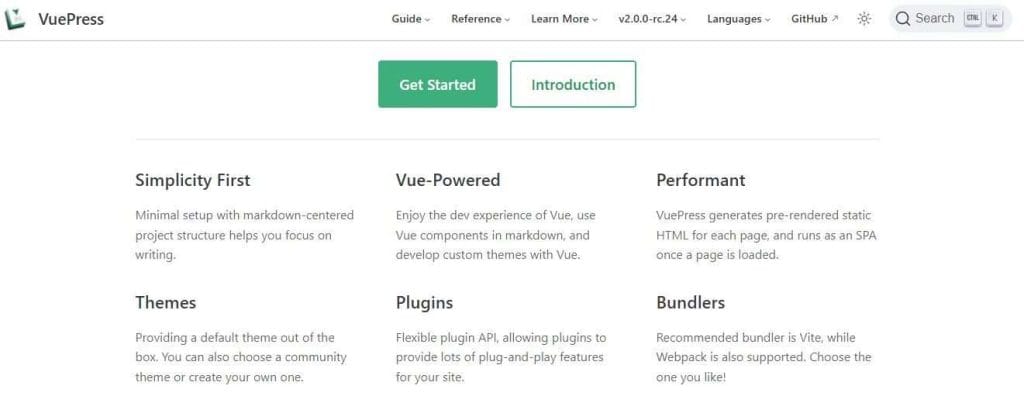
Built by the Vue.js team, VuePress generates pre-rendered static HTML for faster load times, while running as a single-page application (SPA).
Key Features
- Powered by Vue.js.
- Supports custom Vue components.
- Elegant default theme.
- Easy to integrate with existing Vue projects.
Best For
- Vue.js applications.
- Technical blogs combined with docs.
- Sites that benefit from interactive components.
VuePress combines the best of documentation and interactivity.
8. AsciiDoc + Antora
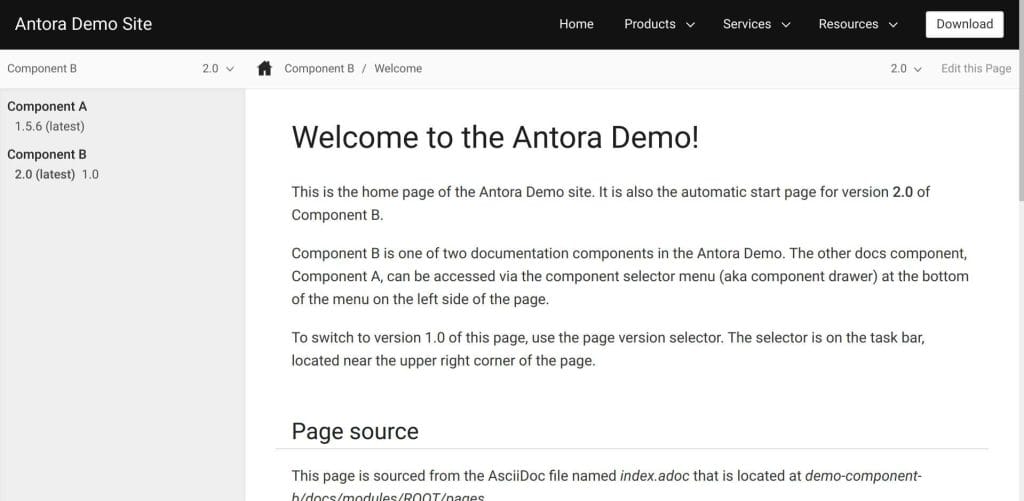
AsciiDoc is a text-based document format, and Antora builds powerful documentation sites from AsciiDoc content.
Key Features
- Content versioning across multiple repositories.
- Highly scalable architecture.
- Theming and UI customization.
- Ideal for complex documentation architectures.
Best For
- Enterprise-level documentation.
- Large-scale product documentation.
- Documentation for multiple product versions.
Antora shines when documentation scales beyond a single codebase.
9. Hugo
Hugo is one of the fastest static site generators. Though often used for blogs, it’s excellent for documentation thanks to robust content organization features.
Key Features
- Extremely fast builds.
- Multilingual support.
- Powerful templating engine.
- Easy integration with modern pipelines.
Best For
- Large documentation sites.
- Sites requiring custom themes.
- Fast deployment cycles.
Hugo has become popular in enterprises needing rapid, flexible site generation.
10. BookStack
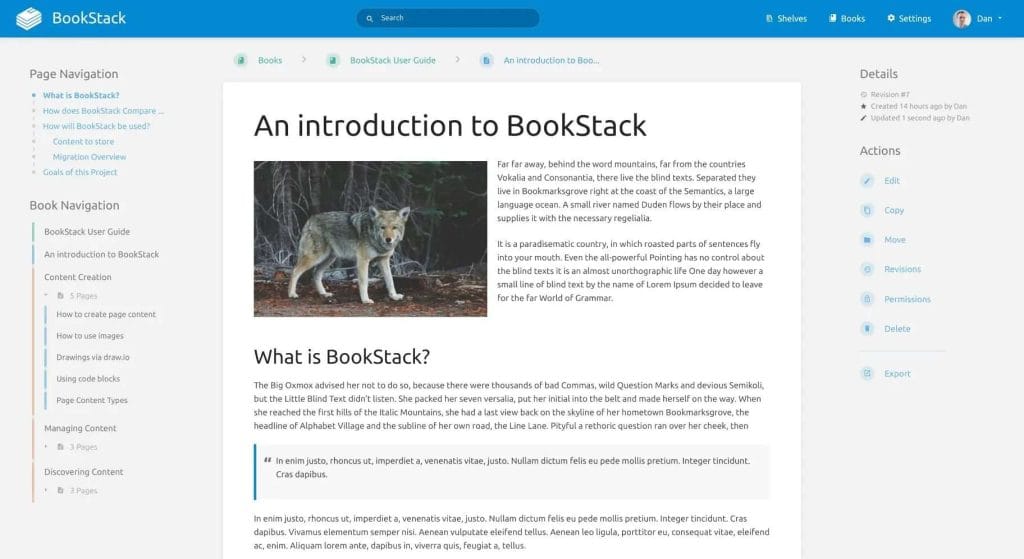
Unlike other static site generators, BookStack is a complete open-source platform for building internal documentation and knowledge bases.
Key Features
- Intuitive WYSIWYG editor.
- Organizes content in books, chapters, and pages.
- Authentication and user permissions.
- Search functionality.
Best For
- Internal knowledge bases.
- Wikis for teams.
- Businesses looking for an easy-to-maintain documentation platform.
BookStack offers a beautiful UI for teams who want a simple, organized documentation platform without coding.
Factors to Consider When Choosing a Software Documentation Tool
When selecting a Software Documentation Tool Open Source, keep these criteria in mind:
Ease of Use — Does the tool fit your team’s skillset (e.g., Markdown, AsciiDoc, Vue.js)?
Hosting Options — Static files, cloud platforms, or dedicated servers?
Scalability — Can it handle large or multi-versioned documentation?
Community Support — Active contributors and plugins for long-term viability.
Integration — Does it work with CI/CD, GitHub, or other parts of your toolchain?
Benefits of Open Source Documentation Tools
Choosing open-source solutions for your documentation offers several key benefits:
- Cost Savings: Eliminate licensing fees.
- Transparency: You can review the code for security and customization.
- Community Innovations: Benefit from shared improvements.
- Vendor Independence: Avoid being locked into proprietary systems.
These advantages explain why more enterprises are shifting to open-source documentation workflows.
Challenges With Open Source Documentation Tools
However, there are challenges to keep in mind:
- Technical Skill Requirements: Some tools require familiarity with static site generators or scripting.
- Customization Overhead: Advanced tweaks might demand developer resources.
- Maintenance Responsibility: You manage updates and security patches.
Weigh these factors carefully to find the best fit for your project.
How to Get Started With Open Source Documentation Tools
Here’s how to start adopting open-source documentation tools in 2026:
- Define Your Requirements — Identify your audience, scale, and content style.
- Test Drive Tools — Try small pilot projects.
- Check Hosting Needs — Decide where and how to host your docs.
- Plan for Collaboration — Ensure the tool fits team workflows.
- Invest in Styling — Good documentation is not only informative but visually appealing.
Examples of Companies Using Open-Source Documentation Tools
- Facebook (Meta): Docusaurus for developer portals.
- Python.org: Sphinx for technical documentation.
- GitHub Pages: Many OSS projects use Jekyll.
- Red Hat: Heavy usage of Antora for product docs.
- Vue.js: VuePress for their framework docs.
These examples demonstrate the reliability and scalability of open-source solutions.
Frequently Asked Questions (FAQ)
Below are some common questions people ask about Software Documentation Tools Open Source:
What is the best open-source tool for software documentation?
It depends on your needs. Docusaurus, Sphinx, and MkDocs are among the most popular, but your ideal choice may vary based on language, scalability, and workflow.
Is it difficult to maintain open-source documentation tools?
Not necessarily. Tools like MkDocs and Docusaurus are quite easy to maintain. However, more advanced tools like Antora may require additional technical knowledge.
Can I integrate open-source documentation tools into my CI/CD pipeline?
Yes! Most tools like MkDocs, Hugo, and Sphinx integrate easily with pipelines like GitHub Actions, GitLab CI, and Jenkins for automated deployments.
Are open-source documentation tools suitable for large enterprise projects?
Absolutely. Many enterprises use open-source tools for large-scale documentation. Antora and Sphinx are especially well-suited for enterprise-grade documentation needs.
Can I host open-source documentation tools for free?
Yes. Static site generators like Jekyll, MkDocs, and Docusaurus can be hosted for free on platforms like GitHub Pages or Netlify.
How do open-source tools handle multi-language documentation?
Tools like Hugo, Antora, and Sphinx offer robust multilingual support, enabling you to manage content in multiple languages easily.
What’s the easiest open-source documentation tool for beginners?
Docsify and MkDocs are very beginner-friendly, requiring minimal setup and delivering great results quickly.
Can I customize the look and feel of my documentation site?
Definitely. Most open-source tools support theming, custom CSS, and plugins for a unique, branded appearance.
Are there open-source alternatives to tools like Confluence?
Yes. BookStack is an excellent open-source alternative for building internal documentation similar to Confluence.
Is it safe to use open-source documentation tools for commercial projects?
Yes, as long as you follow the license terms. Most popular tools use permissive licenses suitable for commercial use.
Conclusion
Choosing the right Software Documentation Tools Open Source is crucial for delivering exceptional documentation experiences to developers, users, and stakeholders. Whether you’re a startup seeking a lightweight solution or an enterprise managing complex multi-versioned docs, there’s an open-source tool perfectly tailored to your needs in 2026.
Explore, experiment, and invest in your documentation pipeline—because great software deserves great docs!